View – Organize – Print – Document
Print many photos – fast, clear and professional
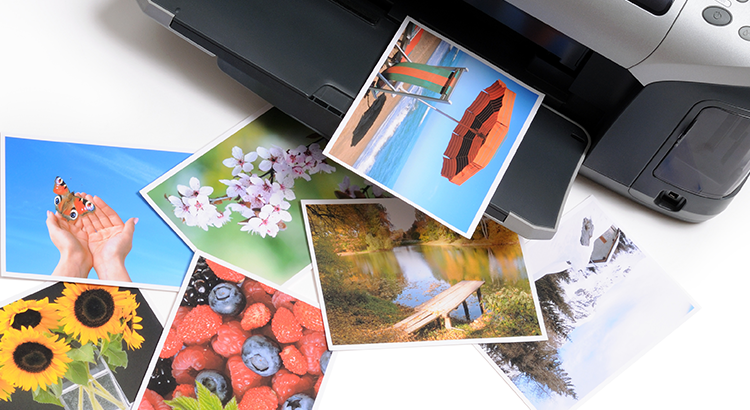
Printstation is a professional photo catalog and printing application for creating contact sheets, printed albums, index pages, collages, photo documentation, ID photos and more. With just a few clicks, you can print multiple photos per page including automatically generated headings and captions with macro support, without having to manually position individual images.
Printstation combines features that are unique in this form:
- Paper saving mode that automatically calculates the optimal layout for any combination of photo size and paper size, without requiring templates.
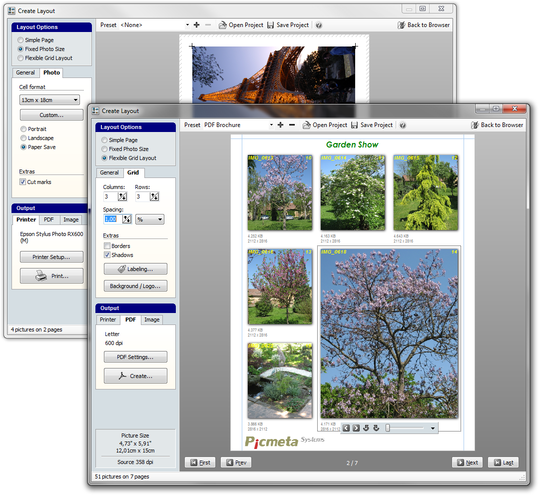
- Flexible grid layout where images are arranged in rows and columns while individual images can still be enlarged or highlighted.
- Integrated PDF engine for maximum quality when creating PDF albums and documentation.
A page in Printstation consists of columns, rows and cells. You simply define the number of columns and rows, and the cell size is adjusted automatically. Images can be fitted automatically or expanded across multiple cells horizontally or vertically.
An intelligent algorithm ensures that unnecessary gaps are avoided. The result is a clean, professional-looking layout without wasting time, paper or printing costs.
Printing itself is only one part of the workflow. Another important and often underestimated step is selecting the images. Printstation supports this process with a convenient photo browser and a fast integrated image viewer including a slideshow mode.
You can select individual images with a click or keystroke, or select entire folders at once. The current image selection can be saved and reloaded at any time.
Printstation Features
Fast, clear and easy to use:
Printing & PDF
- Print multiple images per page in rows, columns or standard photo formats
- Enlarge, rotate, move and duplicate individual images
- Automatic size and position adjustment
- Paper saving mode for the maximum number of images per page
- Create PDF albums and index image files
- Full WYSIWYG preview of all pages to be printed
- Flexible caption options with user-defined headings and captions for images and pages
- Direct printing from cameras via PTP (PictBridge), iPhone and iPad
Organization
- File manager with shell integration
- Thumbnail browser with real-time zoom
- Grouping by name, date, type or size
- Image preview
Image Viewer
- Fast and comfortable image viewer
- Automatic orientation based on the camera’s orientation sensor
- Color management support
- Support for many file formats, including DICOM (medical applications)
For printing RAW files or layouts that include EXIF data, see PIE Studio.
Want to learn more?
- Download the demo version
- Continuously updated list of changes (English)