Import – Rename – View – Organize – Tag

Understand metadata. Organize photos. Simplify workflows.
- Complete viewing and editing of EXIF, IPTC and XMP metadata
- Powerful batch functions for renaming, editing and importing
- Fast image browser with integrated viewer for large photo collections
The tool for metadata and photo organization
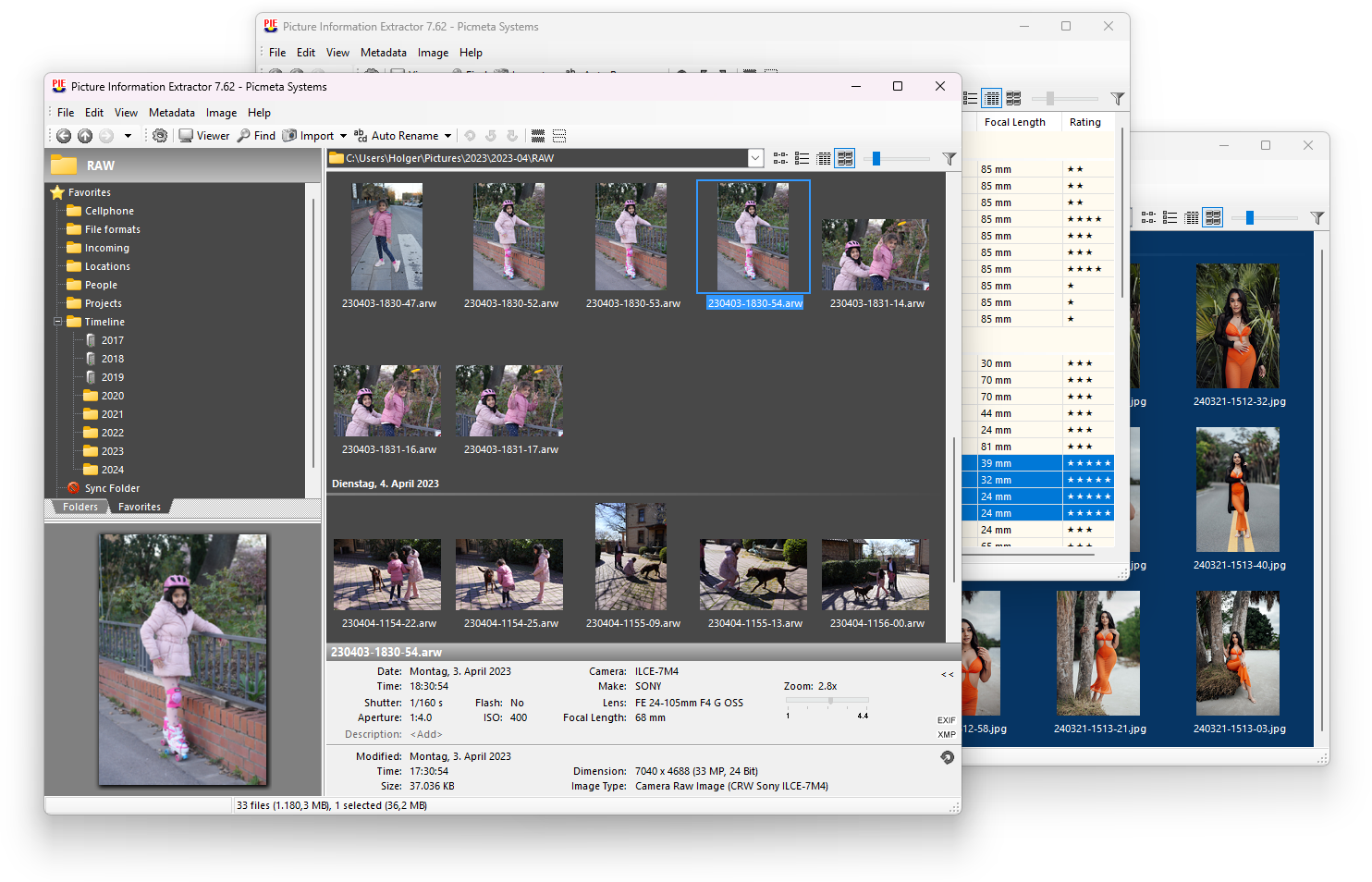
PIE is a photo browser and image viewer with powerful metadata and file renaming features. The software reads EXIF, XMP and IPTC information from JPG, TIF and RAW files and presents it in a clear and detailed way.
Some EXIF data is stored in a standardized format and contains information such as date/time taken, shutter speed, aperture or flash status.
Many important details – such as shooting program, white balance or lens data – are stored in the so-called Makernote block.
Since this block is manufacturer-specific, users are often forced to rely on the camera vendor’s software. PIE, however, provides very extensive Makernote support, allowing you to view complete metadata from a wide range of cameras using a single tool.
In addition, PIE allows you to edit EXIF and IPTC data*, add or remove tags, change EXIF date/time in JPG, TIFF and RAW files, rotate images losslessly and update embedded thumbnails – without damaging the Makernote block, as can happen with other programs (e.g. the Windows Explorer properties dialog). Editing metadata does not affect image quality.
* Editing features are available in the commercial version.
If required, changes to EXIF and IPTC data are automatically reflected in the corresponding XMP tags.
This makes PIE fully compatible with Windows Explorer as well as Adobe Photoshop, Lightroom and others.
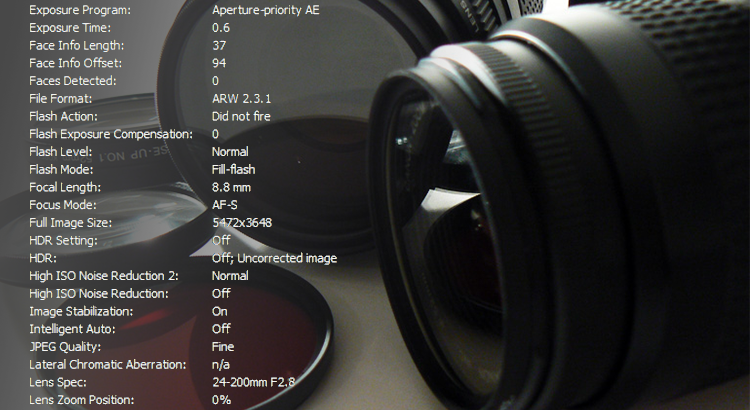
PIE displays exposure data for each image, giving you insight into what your camera actually did when the photo was taken.
Displayed information includes shutter speed, aperture, flash status, zoom position and more.
An integrated report generator allows you to export file lists with metadata to Excel or text files.
PIE can also remove metadata to create privacy-friendly images.
 PIE is also a file renaming tool that reads camera information directly from the original image files
and renames them based on date/time taken or other metadata.
Renaming is performed using a flexible, editable pattern.
For example, PIC00001.jpg becomes 2007-04-11_08-50.jpg.
Define a file naming format once and apply it to all photos –
including images received from other people and cameras.
With minimal effort, your photo archive becomes significantly more structured.
Associated files such as .thm thumbnails, .xmp sidecar files and .wav audio files
are renamed accordingly.
PIE also acts as a file manager. You can navigate folders, sort, move, copy, delete or rename image files.
Any external image editing software can be launched directly.
Files can be searched by filename fragments, keywords, categories, descriptions and other metadata.
RAW+JPG pairs can be deleted with a single click – even if located in different folders.

PIE includes a very fast integrated image viewer.
Use the mouse wheel to zoom or switch images, cursor keys to pan,
and function keys to show or hide information.
A single click starts a slideshow or toggles between browser and viewer.
The image viewer supports RAW files from almost all digital cameras.
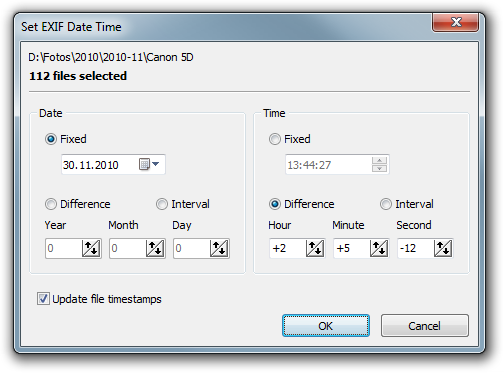
PIE allows you to modify the capture time (EXIF time) afterwards.
You can set a fixed date or shift time values by any amount – for any number of selected files at once.
Optionally, file timestamps can be synchronized with capture time, which is useful for correct sorting in other applications.
EXIF time can be changed in JPG, TIF and RAW files (.crw, .cr2, .nef, .orf, .arw, .pef, .mrw, .dcs, …).

PIE supports lossless rotation and lossless cropping.
Images can be rotated or cropped without any loss of quality,
without decompression or recompression.
All operations are fully reversible.
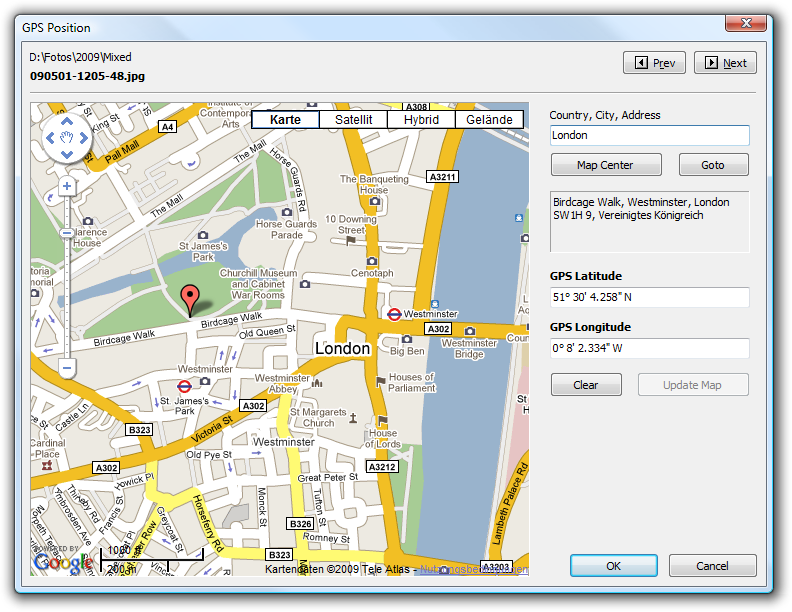 The geotagging feature allows you to view and edit photo locations on an interactive map –
without requiring a dedicated GPS device.
GPS data can be edited for single files or in batch mode.
The feature is compatible with iTunes and enables location-based albums on iPhone, iPad and iPod touch.
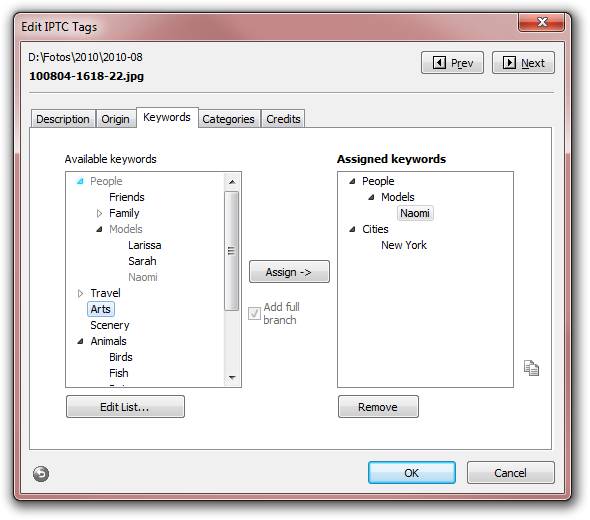
PIE provides a powerful IPTC metadata editor, including hierarchical keyword management.
Keywords can be added or removed in batch mode without affecting existing tags.
Templates allow flexible adaptation to your workflow.
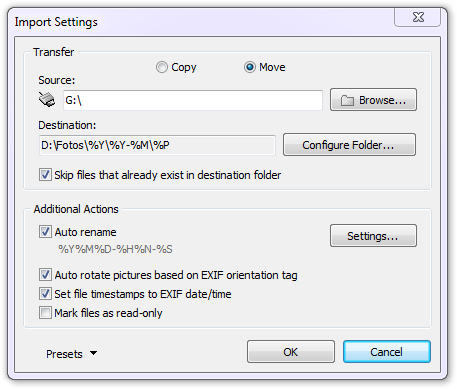 When importing images, PIE copies or moves photos and videos,
optionally renames them and automatically rotates vertical images if desired.
Folders can be created using a freely definable directory structure,
and files are sorted by date, camera model or file type.
Import works reliably with iPhone, iPad and cameras connected via PTP/MTP.
PIE Features
Metadata*
- Extraction and display of EXIF, XMP and IPTC metadata
- User-defined metadata (“My Tags”)
- Edit EXIF and IPTC tags (single and batch mode)
- Metadata templates
- Hierarchical keywords and categories
- Photo geotagging with interactive map
- Modify or add EXIF date/time
- Adjust file timestamps to capture time
- Remove, back up and restore metadata
- Export metadata lists
Organization
- File manager with shell integration
- Thumbnail browser with real-time zoom
- Metadata-based search and sorting
- Automatic file renaming
- Support for sidecar files
- Automated import with custom folder structure
- One-click deletion of RAW+JPG pairs
Image Processing
- Lossless rotation and cropping
- RAW rotation
- Resize images while keeping all metadata
- Batch processing support
Image Viewer
- Fast image viewer with color management
- Automatic orientation using camera sensor data
- Support for many formats including DICOM and RAW
*The free version does not save changes
Supported RAW Formats
- Sony .ARW .SR2
- Canon .CRW .CR2, .CR3, CHDK
- Adobe Digital Negative .DNG
- Epson .ERF
- Kodak .DCR .KDC
- Mamiya .MEF
- Minolta .MRW
- Nikon .NEF
- Olympus .ORF
- Pentax .PEF
- Panasonic .RW2
- Fuji .RAF
- Leica .RWL
- Generic .RAW
Want to learn more?
- Download the free version
- Continuously updated list of changes (English)